
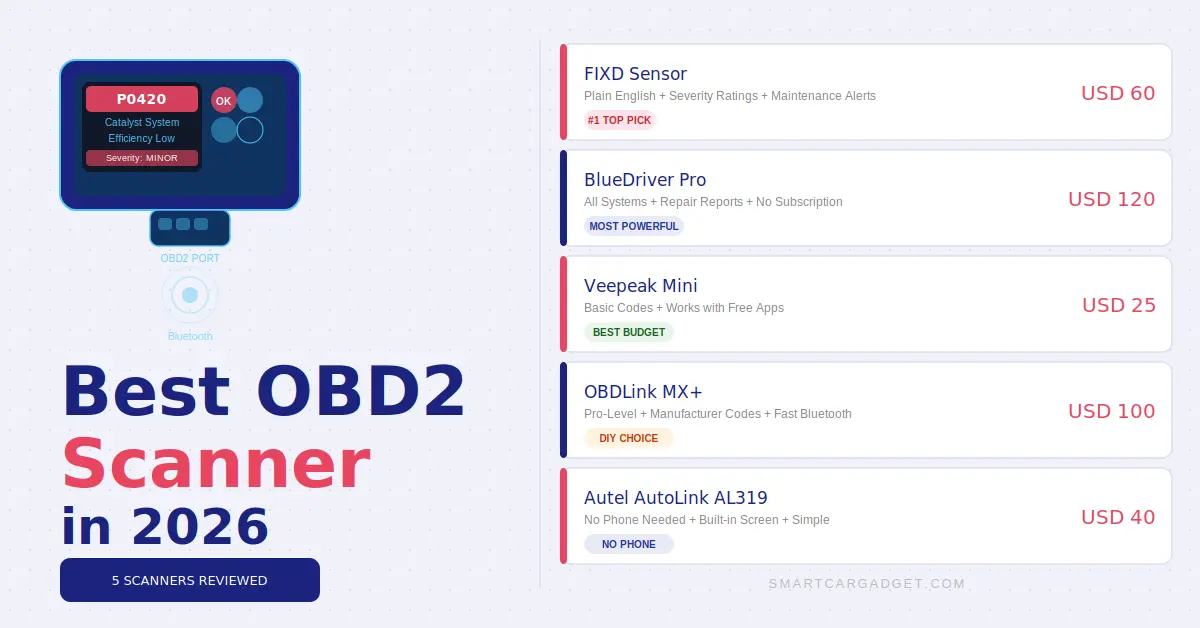
A good OBD2 scanner can save you hundreds of dollars in unnecessary mechanic visits. The best ones fit in your pocket and connect to your phone in seconds.
That check engine light doesn’t have to be a mystery. That check engine light doesn’t have to be a mystery anymore.
Every car made after 1996 has an OBD2 port, usually located under the dashboard near the steering wheel.
Plug it in. Connect the app. Done. Read engine codes, monitor live data, and clear that warning light all from your phone.
We reviewed 5 OBD2 scanners across different budgets and use cases. Here’s what we found.
Best OBD2 Scanner – Quick Comparison
| Scanner | Connection | Live Data | App | Best For | Price |
|---|---|---|---|---|---|
| FIXD Sensor | Bluetooth | ✅ Yes | ⭐⭐⭐⭐⭐ | Beginners | ~$60 |
| BlueDriver Pro | Bluetooth | ✅ Yes | ⭐⭐⭐⭐⭐ | Advanced users | ~$120 |
| Veepeak Mini | Bluetooth | ✅ Yes | ⭐⭐⭐⭐ | Budget buyers | ~$25 |
| OBDLink MX+ | Bluetooth | ✅ Yes | ⭐⭐⭐⭐⭐ | DIY mechanics | ~$100 |
| Autel AutoLink AL319 | Wired | ✅ Yes | Built-in screen | No-phone option | ~$40 |
FIXD Sensor – Best OBD2 Scanner for Beginners
The best OBD2 scanner for most everyday car owners in 2026 is the FIXD Sensor. It’s designed specifically for people who don’t know anything about cars, and that’s exactly what makes it so good.
Plug it in, open the app, and it tells you in plain English what’s wrong with your car, how serious it is, and roughly how much it should cost to fix.
No confusing error codes. No technical jargon. Just clear, actionable information that helps. You decide whether to take your car to a mechanic immediately or wait until the weekend.
The app also sends maintenance reminders and tracks your car’s health over time. According to the NHTSA. Many car faults that trigger the check engine light are minor and don’t require immediate attention. FIXD helps you tell the difference.
✅ What we like
- Plain English explanations
- Severity rating for each fault
- Maintenance reminders
- Works with multiple vehicles
- Excellent beginner-friendly app
⚠️ Watch out for
- Some advanced features require subscription
- Less detailed than BlueDriver
- Not for advanced diagnostics
BlueDriver Pro – Best OBD2 Scanner for Advanced Users
The BlueDriver Pro is the most capable Bluetooth OBD2 scanner we’ve tested at this price point.
It reads and clears codes for every system in your car engine, transmission, ABS, airbags, and more. Not just the basic engine codes that cheaper scanners access.
For serious DIY mechanics, this is the one to get.
The app generates repair reports tailored to your vehicle, drawing on a database of millions of fixes. You get probable causes, common fixes, and verified repair information specific to your make and model. It’s like having a mechanic’s reference guide in your pocket.
✅ What we like
- Reads ALL systems — not just engine
- Vehicle-specific repair reports
- No subscription needed
- Live data with graphing
- Works on iOS and Android
⚠️ Watch out for
- Most expensive on the list
- Overkill for casual users
- App takes time to learn
Veepeak Mini – Best Budget OBD2 Scanner
If you just want to read and clear engine codes without spending much, the Veepeak Mini is the best OBD2 scanner for the job.
At around $25, it reads standard OBD2 fault codes and displays live sensor data. And works with popular free apps like Torque Pro and OBD Fusion. It’s compact, reliable, and does exactly what most people need a scanner for.
Don’t expect the polished experience of FIXD or the advanced capabilities of BlueDriver. But for basic diagnostics on any car made after 1996, the Veepeak Mini delivers solid results at a price that’s hard to argue with.
✅ What we like
- Very affordable at ~$25
- Works with free third-party apps
- Reads and clears engine codes
- Live sensor data
- Tiny — stays plugged in permanently
⚠️ Watch out for
- Engine codes only — no ABS/airbag
- App setup required separately
- No repair guidance included
OBDLink MX+ Best for DIY Mechanics
The OBDLink MX+ is built for drivers who want to go deeper.
It supports not just standard OBD2 protocols but also manufacturer-specific diagnostics for many makes, giving access to data that most Bluetooth scanners simply can’t reach.
Compatible with professional-grade apps like OBD Fusion, DashCommand, and Dr. Prius, it’s the scanner serious DIYers reach for.
The connection is fast and stable, it doesn’t drain your car’s battery when idle, and the build quality is noticeably better than budget options. If you work on your own car regularly, the OBDLink MX+ will pay for itself quickly.
✅ What we like
- Manufacturer-specific diagnostics
- Fast, stable Bluetooth connection
- No battery drain when idle
- Works with pro-grade apps
- Excellent build quality
⚠️ Watch out for
- Best apps cost extra
- Steep learning curve for beginners
- More expensive than FIXD
Autel AutoLink AL319 – Best OBD2 Scanner Without a Phone
Not everyone wants to connect a scanner to their phone. The Autel AutoLink AL319 is a standalone wired scanner with its own built-in colour screen. Plug it in, read the code, done. No app, no Bluetooth pairing, no subscription. It’s the most straightforward scanner on this list.
It reads and clears engine codes, displays live O2 sensor data, and includes an I/M readiness check for emissions testing. The one-click I/M readiness feature alone makes it useful for anyone who needs to pass an emissions inspection.
✅ What we like
- No phone or app required
- Built-in colour screen
- I/M readiness for emissions tests
- Simple one-button operation
- Affordable at ~$40
⚠️ Watch out for
- Engine codes only
- Wired — less convenient
- No repair guidance or app
How to Choose the Best OBD2 Scanner – Buying Guide
The right OBD2 scanner depends entirely on how you plan to use it. Here’s what matters:
Bluetooth vs Wired
Bluetooth scanners connect to your phone — more convenient and feature-rich. Wired scanners have their own screen — simpler but less powerful.
Code Coverage
Basic scanners read engine codes only. Advanced ones read transmission, ABS, airbag, and body codes. Know what you need before buying.
App Quality
The app makes or breaks the experience. FIXD and BlueDriver have the best apps. Budget scanners work with free third-party apps like Torque Pro.
Battery Drain
Some cheap scanners drain your battery if left plugged in permanently. Look for scanners with a low-power sleep mode if you plan to leave it in.
Vehicle Compatibility
All OBD2 scanners work on any car made after 1996. Advanced manufacturer-specific diagnostics only apply to certain brands – check before buying.
Which OBD2 Scanner is Right for You?
| If you want… | Get this | Why |
|---|---|---|
| Simple, beginner-friendly | FIXD Sensor | Plain English explanations + best app |
| Advanced diagnostics | BlueDriver Pro | Reads all systems + repair reports |
| Cheapest option | Veepeak Mini | Basic codes at $25 — hard to beat |
| DIY mechanic | OBDLink MX+ | Pro-level access + fast connection |
| No phone needed | Autel AL319 | Built-in screen + no app required |
Frequently Asked Questions – Best OBD2 Scanner
Final Verdict
The best OBD2 scanner for most drivers in 2026 is the FIXD Sensor. It makes car diagnostics genuinely accessible for people who aren’t mechanically minded, and that’s most of us. The plain English explanations and severity ratings alone are worth the $60.
If you work on your own car or want deeper diagnostics, the BlueDriver Pro is worth the extra cost. Budget tight? The Veepeak Mini at $25 does the basics reliably. Don’t want to use a phone? The Autel AL319 needs nothing but a USB connection.
Looking for more car gadgets that save money and headaches? Read our full guide: 10 Best Car Gadgets 2026 – Must-Have Picks for Every Driver or see our top picks for portable jump starters.